A Practical Troubleshooting Guide for Manufacturers and Packaging Professionals
If you visit any modern manufacturing or packaging facility, you will discover a batch coding machine quietly and critically running at the centre of the production line. The task is a simple one in theory, but vital in practice: to print precise, clear variable data, such as manufacturing dates, expiry dates, batch numbers, lot codes and MRP on each individual product before reaching the consumer. If it is not in place, products can’t be traced, recalled or even legally sold in most markets.
However, the batch coding machine is one of the last machines to be given a lot of attention — until it breaks. A smudged code, a blocked nozzle, a misaligned print or an unexpected shutdown can cause a working stoppage and compliance headaches that can cost time and money.
The good news? Most batch coding machine problems are anticipated, comprehensible and – with the right information – completely avoidable or easily resolvable. This guide details the five most typical problems that manufacturers can encounter with their batch coding machines and explains why each occurs in a simple, accessible language; it offers step-by-step solutions, in easy-to-follow language, to solve these problems quickly and get production back on track.
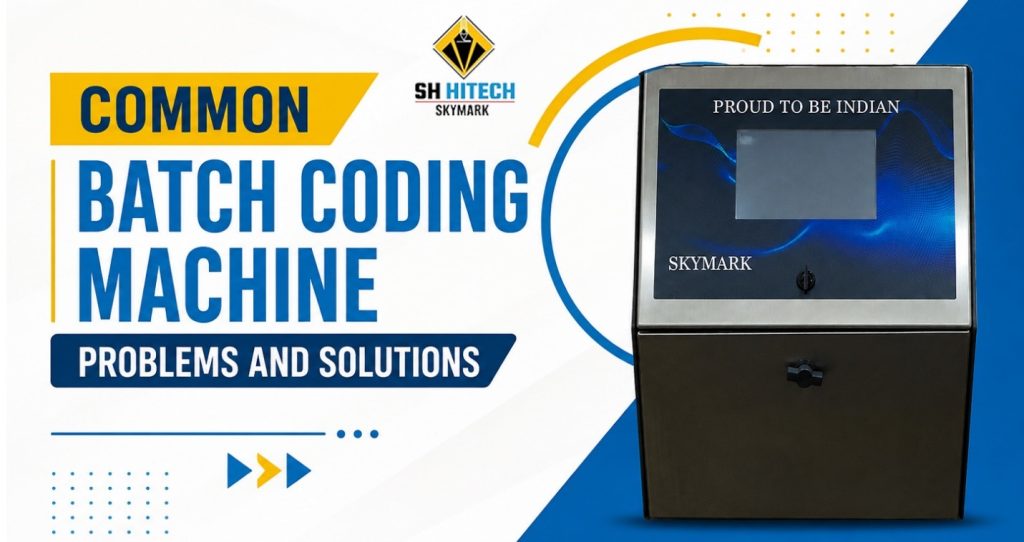
Common Batch Coding Machine Problems and Their Solutions
Problem 1: Ink Smudging or Fading
One of the most common complaints with any batch coding machine is codes that smudge during handling or fade before the product reaches the consumer. It is a problem that is as damaging to brand image as it is to regulatory compliance — a smudged expiry date is unreadable, and an unreadable code is a non-compliant product.
Why It Happens:
- The ink viscosity is outside the recommended range — too thin and it spreads; too thick and it does not flow correctly onto the surface.
- The ink is not chemically compatible with the packaging substrate, preventing proper bonding and adhesion.
- Insufficient drying time before the product is handled or passes to the next packaging stage.
- Ambient temperature or humidity on the production floor is outside the optimal range for the ink being used.
The Solution:
- Check Ink Viscosity: Verify that the ink viscosity is within the manufacturer’s recommended range. Adjust by adding make-up solvent in small increments and re-testing.
- Match Ink to Substrate: Confirm that the ink formulation is specified for your packaging material. Solvent-based inks suit non-porous surfaces (plastic, glass, metal); water-based inks are better for porous materials (paper, cardboard).
- Allow Adequate Drying Time: Reduce conveyor speed slightly to extend the drying window, or consider adding a small air-drying unit downstream of the coding station.
Problem 2: Inconsistent Print Quality
Inconsistent print quality — where some codes are sharp and clear while others on the same production run are patchy, uneven, or partially missing — is a frustrating problem that can undermine confidence in the entire coding operation. When print quality varies unpredictably, it becomes impossible to guarantee that every product leaving the line is correctly and legibly coded.
Why It Happens:
- The printhead nozzle is partially blocked, causing inconsistent ink droplet formation.
- Ink level is low and running inconsistently through the ink system.
- The batch coding machine‘s print settings — speed, resolution, or character size — are not correctly matched to the line speed.
- Vibration from nearby machinery is causing the printhead to move slightly during printing.
The Solution:
- Run Nozzle Cleaning Cycle: Most modern batch coding machines have an automatic printhead cleaning function. Run this first and print a test code to check the result.
- Check and Replenish Ink: Verify the ink reservoir level and refill as necessary. Low ink is a simple fix that is surprisingly often overlooked.
- Calibrate Print Settings: Review the print speed, resolution, and character height settings and ensure they are correctly matched to your current conveyor speed.
- Isolate Vibration Sources: If nearby machinery is causing vibration, consider adding anti-vibration mounts to the batch coding machine or its mounting bracket.
Problem 3: Machine Downtime and Unexpected Breakdowns
Unexpected downtime on a batch coding machine is costly in every sense — lost production hours, compliance risks if products need to be recalled for re-coding, and the frustration of a production team waiting for a fix. In high-volume manufacturing environments, even 30 minutes of coding downtime can have a significant financial impact.
Why It Happens:
- Routine maintenance has been skipped or delayed, allowing small issues to develop into machine-stopping faults.
- Ink has dried inside the system during an extended period of machine inactivity.
- Consumable components — filters, seals, or cartridges — have not been replaced at the correct intervals.
- The operating environment is too dusty, wet, or hot for the machine’s rated specifications.
The Solution:
- Implement a Structured Maintenance Schedule: Daily checks, weekly cleanings, and monthly detailed inspections are the foundation of reliable batch coding machine uptime (see the Preventative Maintenance section below).
- Follow Shutdown Procedures: Always cap the printhead and follow the manufacturer’s shutdown protocol at the end of every shift to prevent ink from drying inside the system.
- Replace Consumables on Schedule: Keep a stock of fast-wearing consumable parts — filters, seals, cartridges — and replace them at the manufacturer’s recommended intervals rather than waiting for failure.
Problem 4: Difficulty Changing Codes or Messages
Every production run potentially brings a new batch number, a new date, or a new product variant — and if the batch coding machine makes it difficult or time-consuming to update the print message, it becomes a bottleneck in itself. In fast-moving packaging environments, long changeover times between coding formats cost valuable production minutes.
Why It Happens:
- The machine interface is not intuitive, and operators have not received adequate training on message programming.
- The machine does not support pre-stored message templates, requiring every format to be entered manually.
- The machine is an older model that lacks the software flexibility of modern batch coding machines.
The Solution:
- Invest in Operator Training: Ensure all production staff are trained on the specific batch coding machine model they operate — including message setup, template management, and date format configuration.
- Use Pre-Stored Templates: Most modern batch coding machines support storing multiple message templates that can be recalled and activated at the touch of a button. Set up templates for every regular product variant in advance.
- Consider a Machine Upgrade: If your current machine does not support modern interface features, it may be time to evaluate an upgrade to a model with a touchscreen interface and template library.
Problem 5: Poor Substrate Adhesion — Codes That Rub Off
A code that is clearly printed immediately after the batch coding machine applies it — but which rubs off during transit, shelf display, or consumer handling — is just as non-compliant as one that was never printed. Poor substrate adhesion is a common issue, particularly when packaging materials change or new suppliers are introduced.
Why It Happens:
- The ink formulation is not matched to the packaging material — a frequent issue when production switches between substrates without updating the ink.
- The coding surface is contaminated with dust, oil, condensation, or release agents that prevent the ink from bonding.
- The ink has not fully cured before the product is placed into secondary packaging or stacked for transit.
The Solution:
- Verify Ink-Substrate Compatibility: Always confirm with your batch coding machine supplier that the ink formulation is specified for your exact packaging material. If you change packaging materials, review ink compatibility at the same time.
- Ensure a Clean Coding Surface: The surface to be coded should be clean, dry, and free from contaminants. In high-humidity environments, consider a brief surface pre-treatment step before coding.
- Allow Full Curing Before Secondary Packaging: Do not place freshly coded products into boxes or stacks until the ink has fully cured — particularly important for solvent-based inks on plastic substrates.
Preventative Maintenance: Your Best Defence Against Batch Coding Machine Problems
The single most effective way to reduce batch coding machine problems is a structured, disciplined preventative maintenance programme. Most of the issues described above are not the result of faulty machines — they are the result of maintenance that was skipped, delayed, or carried out inconsistently.
A practical maintenance framework should include:
- Daily: Run a test print at the start of every shift and verify the code. Check ink levels. Wipe the printhead and surrounding area clean. Confirm the date and batch settings are correct.
- Weekly: Check ink viscosity. Inspect and clean filters. Run a full nozzle cleaning cycle. Check printhead standoff distance and mounting bracket tightness.
- Monthly: Carry out a detailed inspection of all mechanical and ink system components. Replace any consumables approaching the end of their service life. Update firmware if applicable.
- Annually: Schedule a professional service visit from a qualified coding machine technician to perform a full system inspection and calibration.
Keeping a maintenance log for your batch coding machine — recording every check, cleaning, error, and service visit — provides a valuable record that helps identify recurring issues early and supports warranty claims when needed.
Conclusion
With the proper maintenance, regular inspections, a well-suited, and trained operator and using genuine consumables, some troubles can be prevented or minimized, such as ink smudging, poor print quality, machine downtime, and coding errors in a batch coding operation. By controlling the machine well, the batch coding machine can provide reliable and stable production performance every day.
SH Hitech Solutions is known as the best batch coding machine supplier, provider, and manufacturer in India and offers manufacturers high quality batch coding machines, technical support, and assured after-sales service. SH Hitech Solutions has extensive experience in various manufacturing sectors such as food, pharmaceutical, cosmetics, FMCG and industrial manufacturing, and have the solution to keep production flowing smoothly and efficiently!